
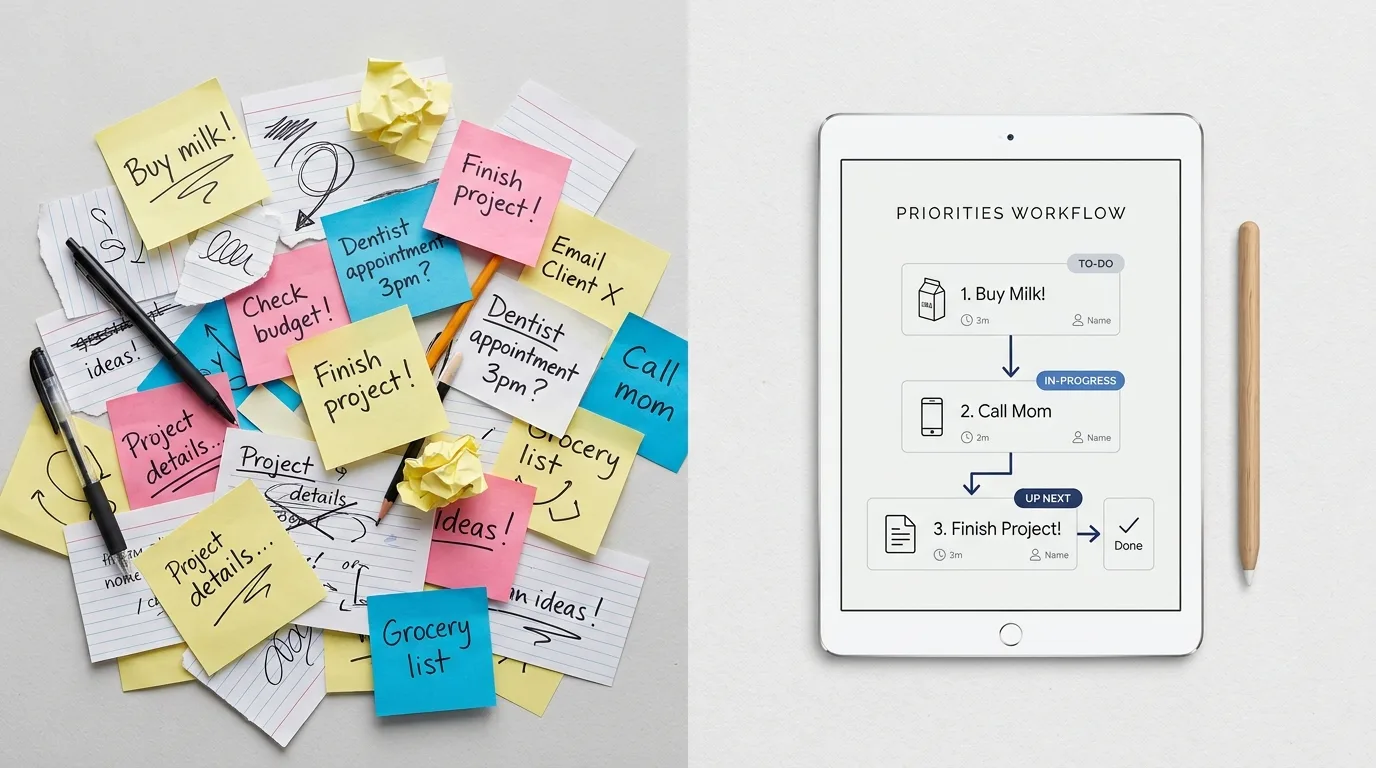

Monday rarely follows the plan.
You open your laptop expecting to finish a project. Then a meeting gets moved, someone needs an update, your inbox fills up, and a task you thought was finished comes back with questions.
By lunchtime, the neat list you made on Friday no longer reflects the day you're having.
This is where AI workflows can be useful.
Not the elaborate kind that require six connected services and a weekend of configuration.
The useful kind takes a small, recurring problem and gives it a repeatable process: gather the right information, ask AI to handle a defined part of the work, review the result, and move forward.
Below are five practical examples built around the interruptions of an ordinary workday.
These are illustrative workflows you can try, not claims from a completed firsthand experiment. Each includes a prompt, a review step, and a reason to skip it when a simpler method would work better.
What Are AI Workflows, Exactly?
An AI workflow is a repeatable sequence of steps in which an AI system performs one or more defined tasks.
The workflow might involve organizing notes, drafting a response, classifying information, or preparing a summary.
It doesn't necessarily require automation software.
For everyday use, a workflow can be as simple as:
Input → AI-assisted task → Human review → Final action
For example, you provide a set of meeting notes, ask an AI assistant to identify possible action items, verify the results, and transfer approved tasks into your task manager.
That's an AI workflow.
A fully automated system might connect several applications and move information between them without manual copying. But automation is only one possible implementation.
The important thing is that the process is repeatable and produces a useful outcome.
What makes a workflow worth keeping?
A practical AI workflow should meet four conditions:
It solves a problem that happens more than once.
The AI task is clearly defined.
The result can be checked without excessive effort.
The entire process is easier than doing the work another way.
If a workflow fails those tests, adding AI may simply create another layer of work.
Workflow 1: Turn a Chaotic Inbox Into a Short Action List
The problem: You return to work and find a mixture of requests, updates, questions, and messages that don't require action.
Reading everything is one task. Deciding what to do about it is another.
AI can help with the second part.
How it works
Start with a small batch of messages that you are authorized to process using your chosen AI tool.
Remove sensitive information when necessary. Don't paste confidential workplace messages into an unapproved service.
Then ask AI to organize the material.
Try this prompt:
Review the following messages and create a concise action list.
Separate the results into:
Actions I need to take
Questions that need a response
Information to keep for reference
Items that appear to require no action
Include a source reference for each item. Do not invent deadlines, commitments, or missing details. Mark anything uncertain as "Needs confirmation."
The goal isn't to let AI manage your inbox.
It's to reduce the effort required to understand what is in it.
The human review
Compare the output against the original messages.
Check that requests weren't overlooked, deadlines weren't invented, and messages from different people weren't combined incorrectly.
Only then move confirmed tasks into your existing task system.
When to skip it
If you have five straightforward messages, reading them directly is probably faster.
This workflow becomes more interesting when the volume or complexity makes sorting genuinely difficult.
Workflow 2: Turn Messy Meeting Notes Into Clear Next Steps

The problem: A meeting ends with useful discussion but an unclear list of commitments.
Someone mentioned a deadline. Another person offered to investigate a problem. A third raised an issue that nobody resolved.
The notes contain the information, but it isn't organized.
How it works
Use notes you are permitted to process. If a recording or transcript is involved, follow applicable workplace policies and obtain any required consent.
Ask AI to separate decisions from suggestions.
Try this prompt:
Organize these meeting notes into four sections:
Confirmed decisions
Proposed action items
Open questions
Topics requiring follow-up
For each action item, include an owner and deadline only if explicitly stated in the notes. Otherwise write "Not specified."
Do not turn suggestions into confirmed decisions. Flag ambiguous statements for review.
This structure matters because AI can make incomplete notes sound more definite than they really are.
The human review
Check every assigned owner, date, and decision.
A statement such as "We should look into that next week" is not necessarily a commitment by a particular person.
If something remains unclear, ask the people involved rather than letting AI guess.
When to skip it
For a short meeting with two obvious actions, write the tasks directly.
The workflow is most useful when the notes are lengthy enough that important distinctions might be missed.
Workflow 3: Draft a Difficult but Routine Email
The problem: You need to write a message that is clear, polite, and firm.
Perhaps a project is delayed, a request needs to be declined, or a colleague needs an update.
You know what you want to say, but finding the right wording takes longer than expected.
AI can help prepare a first draft.
How it works
Start with the facts and the outcome you want.
Don't ask the assistant to invent a reason, excuse, or promise.
Try this prompt:
Draft a professional, friendly email using only the facts below.
Purpose: Explain that a project update will arrive later than originally expected.
Confirmed facts:
The update is not ready.
Additional review is required.
A revised delivery date has not yet been confirmed.
Requirements:
Be clear and respectful.
Do not invent a new deadline.
Do not blame anyone.
Keep the message concise.
End with an appropriate next step that does not promise an unconfirmed date.
The result should be a draft, not an automatically sent message.
The human review
Check the tone, facts, and commitments.
Does it sound like something you would actually say?
Does it acknowledge the situation without becoming unnecessarily defensive?
Would the recipient reasonably understand what happens next?
Edit it before sending.
When to skip it
A quick, personal message may be easier to write yourself.
AI is also a poor substitute for genuine attention in emotionally sensitive conversations.
Use it to improve wording, not to avoid responsibility.
Workflow 4: Turn an Overwhelming Project Into the Next Three Actions
The problem: Your task list says something like "Update the website," "Prepare the presentation," or "Organize the office."
These aren't next actions.
They're projects containing several smaller decisions.
When the day becomes busy, vague tasks are easy to postpone.
How it works
Describe the project, the current state, and any real constraints.
Ask AI to identify a short sequence rather than build an elaborate project-management system.
Try this prompt:
Help me break this project into manageable next actions.
Project: Prepare a short presentation for an internal team meeting.
Current state: I have rough notes but no outline.
Constraints: I have limited time today and need to make useful progress.
Suggest the next three concrete actions in a sensible order.
Keep each action small enough to begin without further planning.
Identify any important information you would need before making a more detailed plan. Do not invent deadlines or project requirements.
A good result might identify the need to clarify the audience, organize the existing notes, and draft a simple outline.
You can then choose which action to complete first.
The human review
Check whether the suggested steps match the real project.
AI may recommend unnecessary preparation or overlook constraints it hasn't been told about.
Remove anything that doesn't help.
Then put the approved actions into the task manager you already use.
When to skip it
If you already know the next step, take it.
You don't need an AI-generated plan to open a document and begin writing.
Workflow 5: Recover After the Day Goes Off Schedule

The problem: It's late afternoon.
Two planned tasks remain unfinished. An unexpected request took longer than expected. Tomorrow already has commitments.
You need a realistic plan, not an optimistic rewrite of the entire week.
AI can help organize the options.
How it works
List unfinished tasks, confirmed deadlines, and available time.
Avoid including confidential project information unless your AI environment is approved for it.
Try this prompt:
Help me create a realistic end-of-day reset.
Unfinished tasks:
Review a draft document
Prepare questions for tomorrow's meeting
Organize project notes
Confirmed constraint: I have 30 minutes available today.
Tomorrow's fixed commitment: A meeting in the morning.
Suggest:
What to prioritize in the remaining 30 minutes
What can reasonably wait
What information I should prepare for tomorrow
Do not assume all tasks can be completed today. Explain any trade-offs briefly.
The point is to reduce decision fatigue, not squeeze more work into an already crowded day.
The human review
Make the final decision based on actual urgency and consequences.
AI doesn't know every informal commitment, relationship, or priority unless you provide that context.
If something is genuinely urgent, don't let a tidy-looking plan push it aside.
When to skip it
If one task is clearly urgent and the rest can wait, you already have your answer.
Close the planning tool and do the task.
Comparing the Five AI Workflows
Workflow | AI's useful role | Human responsibility | Main risk |
|---|---|---|---|
Inbox triage | Sort messages into possible actions | Confirm requests and deadlines | Missing or misclassifying a message |
Meeting notes | Organize decisions and follow-ups | Verify commitments | Inventing certainty |
Email drafting | Produce a clear first draft | Approve facts, tone, and promises | Misleading communication |
Project breakdown | Suggest manageable next steps | Decide what matters | Unnecessary planning |
End-of-day reset | Structure competing priorities | Choose the final plan | Misjudging urgency |
Notice what these workflows have in common.
AI prepares information or suggests a structure.
A person makes the consequential decisions.
That division of responsibility is often more useful than trying to automate the entire process.
How to Create AI Workflows That Actually Help
You don't need to begin with a complicated automation platform.
A good first workflow can be built with one AI assistant and the tools you already use.
Step 1: Choose one recurring problem
Look for a task that is repetitive, mentally tiring, or difficult to organize.
Avoid starting with a high-risk process.
Something like organizing non-sensitive notes is a better first experiment than automating financial approvals.
Step 2: Define the input
Decide exactly what information the workflow needs.
For meeting notes, that might be a set of rough notes.
For an email draft, it might be a few confirmed facts and the desired tone.
The more clearly you define the input, the easier it becomes to evaluate the output.
Step 3: Give AI one specific responsibility
Don't ask it to "manage the project."
Ask it to identify possible next actions from the information provided.
Don't ask it to "handle communication."
Ask it to prepare a draft that you will review.
Narrow responsibilities make errors easier to detect.
Step 4: Specify what AI must not invent
Include boundaries in your prompt.
For example:
Do not invent deadlines.
Do not assign responsibility without evidence.
Do not create sources or quotations.
Mark missing information clearly.
Do not take external actions.
These instructions cannot guarantee perfect results, but they establish useful expectations for review.
Step 5: Add a human checkpoint
Before anything is sent, published, scheduled, or acted upon, decide what needs verification.
For low-stakes brainstorming, a quick review may be sufficient.
For consequential work, checking sources, facts, and permissions becomes more important.
Step 6: Test the workflow against the simpler alternative
Run the process on a few ordinary examples.
Then compare it with doing the task manually.
Did it reduce effort?
Did it create errors?
Was the output easy to review?
Would you use it on a genuinely busy day?
If the workflow doesn't offer a clear benefit, simplify it or stop using it.
Do You Need Automation Software?
Not necessarily.
There is a difference between an AI-assisted workflow and an automated workflow.
An AI-assisted workflow may require you to paste information into an assistant, review the result, and transfer approved output into another tool.
An automated workflow may use integrations or software to move information between systems.
Automation can be useful when the same process occurs frequently and the inputs are predictable.
But it introduces additional considerations:
Access permissions
Integration reliability
Error handling
Privacy and data retention
Ongoing maintenance
What happens when a connected service changes
For many individuals, a repeatable prompt and a manual review step are enough.
Automate only when the extra complexity earns its place.
Three Mistakes That Make AI Workflows Worse
Mistake 1: Starting with the tool instead of the problem
A new AI feature can be interesting without being useful.
Identify the recurring friction first.
Then choose a tool that addresses it.
Mistake 2: Treating a polished response as a correct response
AI can make incomplete information sound organized and authoritative.
That is particularly dangerous when dealing with deadlines, commitments, or factual summaries.
Review the underlying information, not just the quality of the writing.
Mistake 3: Building a system nobody wants to maintain
A workflow with numerous steps, integrations, and exceptions may be impressive on paper.
But if you abandon it after a busy week, it hasn't solved the original problem.
Prefer systems that are easy to understand, repair, and stop using.
What a Messy Monday Actually Needs
A difficult workday doesn't always need better software.
Sometimes it needs a clearer next action, a shorter message, or a realistic decision about what can wait.
That's where these five AI workflows can help.
They don't promise to automate your job or eliminate interruptions.
They offer small, repeatable ways to handle information and regain direction.
Start with one.
Use it on a real task. Check the result. Keep it only if the benefit is noticeable.
If it helps, you have a useful workflow.
If it adds more steps than it removes, you have permission to stop.
The best AI workflows don't make your day look more automated. They make your work a little easier to finish.