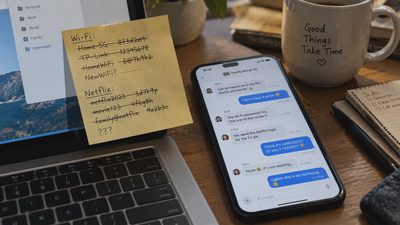

A phone with 200 unread notifications. A downloads folder full of files named final_v2_revised. Three apps that do almost the same thing. A photo library where finding one useful picture means scrolling past hundreds of screenshots.
None of these problems is particularly dramatic.
Together, though, they make ordinary technology feel strangely exhausting.
The usual advice is to organize everything: buy another storage service, install a productivity app, create a complicated folder system, or spend an entire weekend cleaning up.
But a useful digital declutter starts with a different question:
What deserves to stay, and how much effort should it take to maintain?
Hiking, coffee roasting, and woodworking offer three surprisingly practical ways to think about that question. They reward preparation, restraint, and respect for the tools involved. They also reveal why adding more equipment or complexity is not always the same as making progress.
Those lessons translate remarkably well to the digital clutter accumulating on our phones, computers, and online accounts.
The Real Problem With Digital Clutter Isn't Storage
Storage is cheap enough that keeping things can feel easier than making decisions.
You can hold thousands of photographs, download countless documents, subscribe to dozens of newsletters, and install applications you may never open again.
The immediate cost seems negligible.
But digital clutter creates another kind of expense: the effort required to find, understand, and manage what you have.
An overcrowded desktop makes important files harder to locate. A notification-heavy phone makes urgent messages less distinguishable from irrelevant ones. Multiple task apps create uncertainty about where a commitment belongs.
This is why digital decluttering should not be measured by the number of files deleted.
A person with 20,000 well-organized photographs may have less friction than someone with 500 photographs scattered across five services.
The objective is not digital emptiness.
It is a system that makes important things easy to find, ordinary tasks easy to complete, and unnecessary demands easy to ignore.
Lesson One: Hiking Teaches You to Carry What Earns Its Weight

A backpack makes the cost of unnecessary possessions unusually obvious.
Every item takes up space. Every item adds weight. And when you carry that weight for hours, the distinction between useful equipment and reassuring clutter becomes harder to ignore.
Digital possessions don't weigh anything in your backpack, but they still create a burden.
Every application may request permissions, send notifications, require updates, or ask you to create an account. Every subscription introduces another recurring decision. Every saved document becomes something you may eventually have to search through.
The useful hiking question is not, "Could I possibly need this?"
It is:
"Does this earn its place in the system I actually use?"
Apply the backpack test to your apps
Open the application list on your phone or computer.
For each app you rarely use, ask:
What specific job does this do?
When did I last need it?
Can an existing tool already handle that job?
Would removing it create a real inconvenience?
Could I reinstall it later if necessary?
Not everything needs daily use to justify staying. A travel app or emergency utility may be valuable precisely because you need it occasionally.
But an app that duplicates another service, constantly asks for attention, and provides little value is worth questioning.
Before uninstalling anything important, check whether it contains locally stored data, paid access, or information that needs exporting.
The point is deliberate selection, not indiscriminate deletion.
Pack for your actual life
Someone hiking a short local trail needs different equipment from someone preparing for a multi-day trip.
Digital setups work the same way.
A freelance designer, a parent coordinating family schedules, and someone who mostly uses technology for communication and banking do not need identical productivity systems.
Yet digital lifestyles are frequently presented as though everyone should use the same collection of apps, dashboards, and automated workflows.
A better approach is to build around recurring needs.
Keep what reliably supports your work, household, relationships, and interests. Be skeptical of tools acquired for a hypothetical future version of yourself.
You don't need to carry an entire workshop to take a walk.
And you don't need a professional-grade productivity stack to manage a grocery list.
Lesson Two: Coffee Roasting Teaches You to Control the Variables
Coffee roasting is a useful example of how process and attention interact.
Heat, time, airflow, and the characteristics of the beans all affect the outcome. When too many variables change at once, it becomes difficult to understand what caused a particular result.
The same problem appears when people try to declutter digital life.
They change launchers, replace their task manager, reorganize cloud storage, disable notifications, and install a new automation system—all in the same weekend.
By Monday, something feels different.
But which change actually helped?
And which one created a new problem?
Change one variable at a time
A more useful digital decluttering process looks like a controlled adjustment.
Start with one source of friction.
Suppose your phone interrupts you too often.
Instead of redesigning your entire digital setup, spend a week reviewing which notifications deserve immediate attention.
Keep essential communication and time-sensitive alerts. Silence promotional notifications and routine updates that can wait until you open the relevant app.
Then observe the result.
Are important messages still reaching you? Are you checking your phone less reflexively? Did you accidentally silence something useful?
Adjust accordingly.
Only after that should you move to another problem.
This approach is slower than a dramatic digital reset, but it makes the outcome easier to evaluate.
Consistency matters more than elaborate systems
A repeatable process is often more valuable than a sophisticated one.
Consider file management.
You could create dozens of folders, detailed naming conventions, tags, and automated sorting rules.
Or you could establish three simple defaults:
Important documents go in one known location.
Active projects have clearly named folders.
Temporary downloads are reviewed periodically.
The simpler approach may be sufficient.
A system that you can follow without thinking is more likely to survive a busy week than one requiring constant attention.
That is the central lesson here: reduce the number of variables you must actively manage.
The purpose of organization is to make work easier, not to create more organizational work.
Lesson Three: Woodworking Teaches You to Respect the Workbench
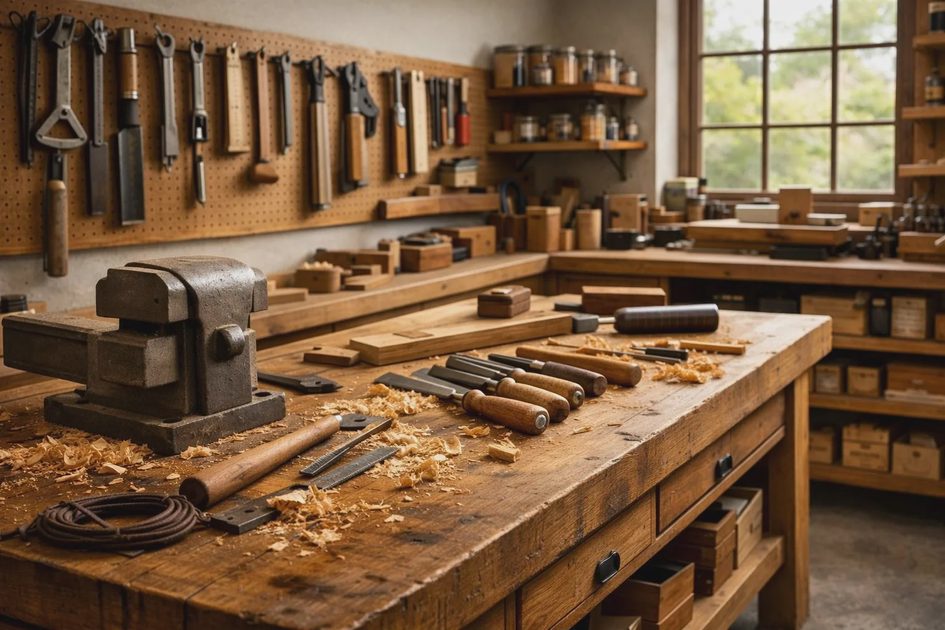
A woodworking bench is a place where tools, materials, and decisions come together.
It needs enough order to work safely and efficiently, but it doesn't have to resemble a showroom.
A useful tool should be accessible. Materials for the current project should have room. Offcuts and unnecessary equipment shouldn't constantly get in the way.
Your computer desktop, phone home screen, and browser serve a similar purpose.
They are workspaces.
Yet many of us treat them as permanent storage areas.
Downloads pile up. Browser tabs remain open for weeks. Desktop icons spread across the screen. Apps stay pinned long after their usefulness has faded.
Eventually, the workbench becomes harder to use.
Give your digital tools a home
In a workshop, frequently used tools benefit from predictable storage locations.
The same principle helps with digital files.
Choose a default location for important documents. Keep active projects separate from archives. Make sure you know where photographs are stored and backed up.
You don't need a perfect taxonomy.
You need a structure you can remember.
For example:
Documents/
├── Personal/
├── Household/
├── Work/
│   ├── Active/
│   └── Archive/
└── Reference/
This is only an illustration, not a universal folder structure.
The right arrangement is one that matches how you actually retrieve information.
If you routinely search by project name, organize around projects. If you search by client, client folders may make more sense.
Avoid creating elaborate categories before you have a real need for them.
Clear the work surface, not the entire workshop
A useful distinction in woodworking is the difference between tools that belong in the workshop and tools that need to be on the bench right now.
Your digital environment benefits from the same distinction.
You may need 40 applications installed, but only a handful need prominent home-screen positions.
You may have hundreds of reference documents, but they don't all belong on your desktop.
You may need browser bookmarks for dozens of resources, but you don't need every page open simultaneously.
This is one of the easiest ways to organize digital clutter without risking important information.
Move useful but inactive material out of your immediate workspace.
Keep the current task visible.
Let everything else wait somewhere predictable.
How to Organize Digital Clutter Without Making It a Weekend Project
The three lessons suggest a practical method.
You don't need specialized software or an elaborate challenge. Start with the devices and accounts you already use.
The 20-Minute Digital Declutter Checklist
Use this as a repeatable routine, not a one-time purge.
Choose one friction point. Focus on your phone, desktop, downloads folder, email inbox, or browser. Don't try to organize everything at once.
Remove or archive five unnecessary items. Delete unwanted files, uninstall unused apps, or move inactive documents into an archive.
Create one default location. Choose a predictable home for something you frequently lose, such as important documents or project notes.
Turn off one unnecessary interruption. Disable promotional notifications, unwanted email alerts, or distracting app badges.
Check your backups. Before deleting important files or photographs, confirm that anything worth keeping is safely backed up.
Set one maintenance rule. Establish a simple habit that prevents the same clutter from returning, such as reviewing downloads every Friday.
The goal isn't to finish everything in 20 minutes. It's to make one meaningful improvement without creating another complicated project.
Repeat the process whenever digital clutter starts getting in the way.
What should you declutter first?
Choose the area that causes the most frequent interruption or confusion.
If your problem is… | Start with… |
|---|---|
Constant interruptions | Notification permissions |
Difficulty finding documents | One default file location |
Too many open browser tabs | Bookmarks and closing inactive tabs |
Duplicate tools | Reviewing overlapping applications |
Endless promotional messages | Unsubscribing and filtering email |
Too many subscriptions | Reviewing recurring services |
Crowded home screens | Removing unnecessary shortcuts and widgets |
Avoid beginning with a high-risk cleanup, such as deleting large photo libraries or old backups.
Those tasks deserve more preparation.
The Important Difference Between Deleting and Organizing
Digital decluttering sometimes gets confused with deleting as much as possible.
That can be counterproductive.
Some information is valuable precisely because you may need it years later: financial records, family photographs, important correspondence, creative projects, or legal documents.
The better question is whether something should be:
Kept accessible: frequently needed tools and current files.
Archived: valuable information that isn't needed regularly.
Removed: unnecessary duplicates, obsolete temporary files, and unwanted applications.
Reviewed: material whose importance or backup status is uncertain.
Before deleting significant information, verify that anything worth preserving has a usable backup. Remember that deleting a file from a synchronized folder may also remove it from other synchronized devices.
Good organization should reduce the risk of losing important things, not increase it.
Don't Turn Digital Decluttering Into Another Hobby You Have to Maintain
There is a trap in almost every kind of simplification.
You can become so interested in improving the system that the system becomes the work.
You spend hours selecting the perfect notes application. You continually redesign your folder structure. You watch videos about productivity instead of completing the tasks the productivity system was supposed to support.
This is where the three offline lessons come together.
A hiker doesn't benefit from endlessly rearranging a backpack if the trip never begins.
A coffee roaster doesn't improve a batch by adjusting every variable without understanding the results.
A woodworker doesn't finish a project by organizing tools all afternoon.
The tools serve the activity.
Not the other way around.
Digital decluttering should make room for the things you actually want to do: work, read, communicate, create, learn, and spend time with people.
If your cleanup system requires constant maintenance, simplify the cleanup system.
A Better Rule for Your Digital Life: Keep What Helps
The most useful lesson from hiking, coffee roasting, and woodworking is not that less is always better.
It's that the right amount is determined by the job.
A well-equipped workshop can contain many tools without being chaotic. A carefully packed backpack may contain specialized equipment. A coffee-roasting setup can be sophisticated without being unnecessarily complicated.
Likewise, a healthy digital life doesn't require a minimalist phone, an empty inbox, or a desktop with three icons.
It requires intentional choices.
Keep the tools that help.
Give important things predictable homes.
Change one problem at a time.
And stop optimizing when the system is doing its job.
The next time your digital environment feels overwhelming, resist the urge to install another app or start over completely.
Choose one small source of friction and remove it.
Then get back to living your life.