
How to Build a Calm Digital Life with the Devices You Already Own
Most digital clutter does not start with a bad purchase. It starts with good intentions that never got a second look.
You buy a second tablet for the kids, a smart speaker for the kitchen, a new laptop for remote work, and a few "helpful" subscriptions. Six months later the devices are still there, the notifications keep arriving, and the feeling of being overwhelmed has only grown. The usual response is to shop for a better system. A calm digital life usually begins with a different question:
What if the stack you already own is enough, once you stop asking it to do everything?
This is not a minimalism manifesto, and I'm not asking you to throw technology away. It's a practical method for turning the devices already on your counters, desks, and nightstands into a lower-friction setup. Make the technology earn its place.

Quick Answer: Do You Need New Devices to Feel Less Overwhelmed?
Usually not. In my years in consumer tech, and now in conversations with families, I keep seeing the same pattern: the friction comes from scattered roles, overlapping apps, and devices that were never given a clear job, not from missing hardware.
A 30-day device audit does three things:
It gives every device one primary role.
It retires the ones that no longer serve you.
It removes the optional layer of noise.
In my experience, that does more for daily calm than most new purchases. It won't fix everything, and I cover the exceptions below.
Why Buying More Rarely Solves Digital Clutter
New devices tend to solve one problem and create several others: another charger, another account, another set of notifications, another decision about where each app lives. Marketing promises simplicity. Living with the product is the real test.
The people who feel most overwhelmed by technology are rarely short on devices. They're short on clarity about which device is responsible for which part of life. The phone becomes a second work computer. The tablet becomes a second TV. The laptop becomes a second phone. Nothing has a primary job, so everything feels half-useful and constantly interrupting.
The sensible response is not more capability. It is clearer boundaries.
The Three-Layer Sensible Stack: Core, Support, Optional
Use this as a sorting system for what you already own, not as a shopping list.
Layer 1: Core Devices
These must work every day for the household to function:
One primary phone per adult
One reliable laptop or desktop for work and serious tasks
One shared family calendar or display, if you already own one
Home Wi-Fi that actually covers the rooms you use
Core devices get first priority for updates, battery health, and privacy settings.
Layer 2: Support Devices
These make life easier but aren't essential every day:
A tablet used mainly for reading, media, or kids' homework
A secondary laptop or older phone kept as a backup
A smart speaker or display for timers, weather, and simple voice queries
External storage or a network drive for backups
A Support device stays only if it has a clear, recurring job that the Core layer doesn't already cover well.
Layer 3: Optional Devices
Everything else: the extra tablet in a drawer, the smart bulb nobody uses, the fitness tracker that stopped being worn after two weeks, the second pair of earbuds, the "smart" appliance feature that needs yet another app. These are candidates for retirement, donation, or deliberate storage.
The rule: if a device has no clear primary role after 30 days of honest use, it doesn't belong in the active stack.
A Practical 30-Day Device Audit
You don't need a spreadsheet or a free weekend. You need consistent observation.
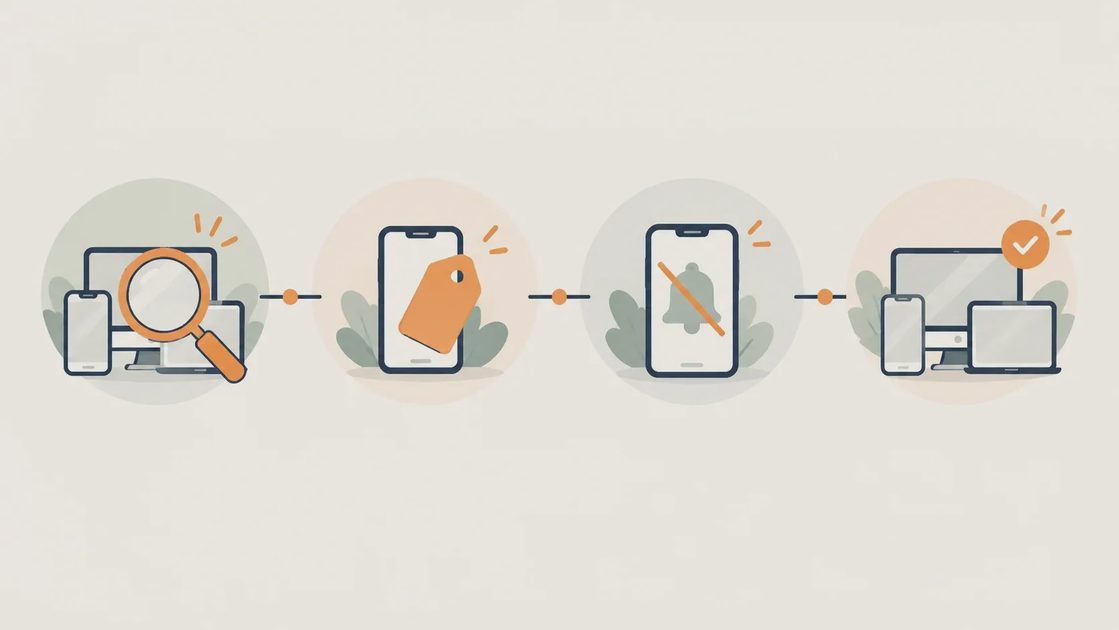
Days 1–7: Inventory Without Judgment
List every device that's powered on or charged more than once a week: phones, tablets, laptops, speakers, displays, and any smart-home gadget with an active account. Note who uses each one, and for what.
Days 8–14: Assign One Primary Job
For each device, finish this sentence: "This device's main job is ___." If you can't finish it cleanly, the device either overlaps with something else or belongs in Optional.
Days 15–21: Turn Down the Noise
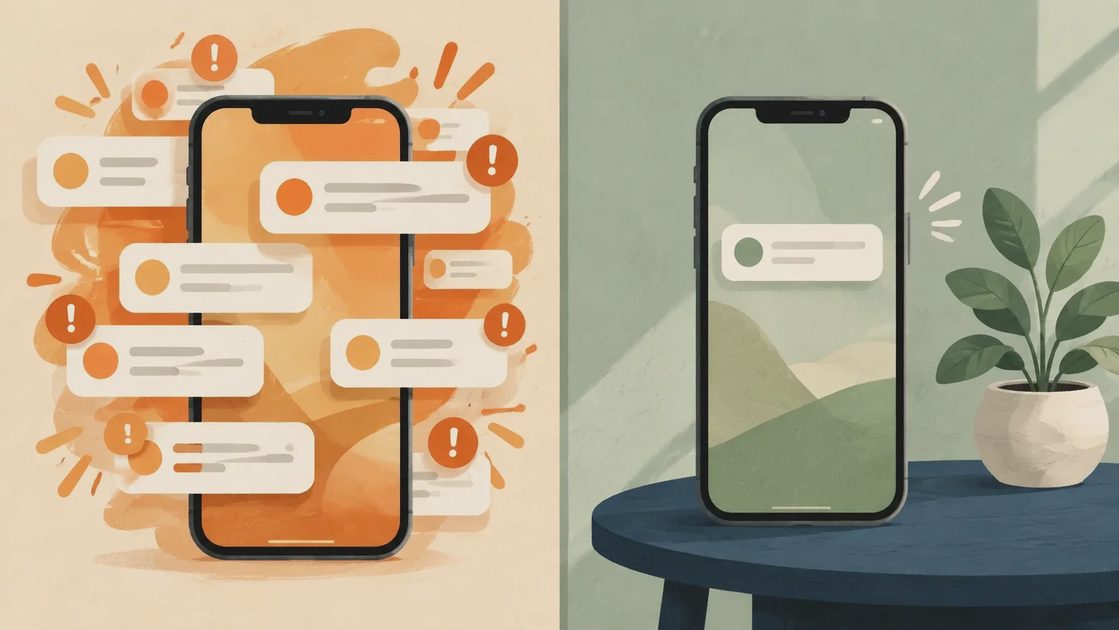
Turn off non-essential notifications on Core devices. Uninstall apps that live only on Support or Optional devices and serve no daily purpose. Disable voice-assistant features you never use. The goal is fewer interruptions, not fewer capabilities.
Days 22–30: Test the Reduced Stack
Live with the new roles and notice where friction remains. If a Support device still feels essential every day, promote it. If a Core device carries too many secondary jobs, ask whether a Support device can take one on more cleanly, or whether the job is unnecessary.
After 30 days you should have a short list of active devices, each with a clear job, and a second list of items ready to power down, sell, or donate.
What to Keep, Retire, and Simplify
Keep anything that reliably does a job your household needs and that nothing else covers well. Battery health, repairability, and software support matter more than age or brand prestige.
Retire devices that are pure overlap, need constant troubleshooting, or exist only because "we might use it someday." Someday is not a role.
Simplify what remains by reducing the number of ecosystems you have to manage. You don't need every device from one brand, but you should stop treating each new gadget as an island with its own account, app, and notification stream.
A real example from our house: we used a second tablet as a "family calendar" until we realized our phones and one shared digital calendar already covered the need with less maintenance. The tablet moved to Optional and eventually left the house. The calendar got better because the remaining devices had clearer jobs.
When This Approach Falls Short
This is slower than buying a new "system," and it requires observation instead of a shopping cart. Some devices only reveal their value once the surrounding noise is gone. Others show they never earned their place.
It also won't solve every problem. If your Core laptop is five years old and can no longer run the software your job requires, replacement may be the right call. The audit just makes that decision on evidence instead of on the hope that a new device will organize everything else.
Security matters too. A device that no longer receives security updates shouldn't stay in the Core layer, even if it still works. The same goes for any device tied to an account you no longer trust or control.
Conclusion
A calm digital life is rarely the result of the next purchase. It comes from deciding, device by device, what earns a permanent place and what doesn't.
Start with the hardware already in your home. Give each piece one clear job, and remove the noise that has piled up around it. After 30 days you'll know more about your real needs than any buying guide can tell you.
Make the technology earn its place. Everything else can wait.