
Streaming music services have made nearly every album, playlist, and podcast available for the price of a lunch. That convenience is real, but so is the subscription clutter. After years of testing apps and managing shared family accounts, I have learned that the best choice is rarely the service with the longest feature list. It is the one that fits your devices, listening habits, budget, and tolerance for maintenance.
The basic decision is simple: choose a catalog you will use, an app you enjoy opening, and a plan that does not create account headaches. Useful is not the same as impressive. The feature is easy. Living with it is the test.
Start with the listening life you already have
Before comparing streaming music services, look at how music actually enters your day. Do you listen through an iPhone, Android phone, Windows laptop, smart speaker, car display, television, or several of these? Do family members need separate recommendations, or does everyone share one household playlist? Do you care about discovering new releases, or do you mostly replay familiar albums?
A commuter who downloads playlists before driving has different needs from a home listener with reliable Wi-Fi. A household with children may value parental controls and separate profiles more than ultra-high-resolution audio. Someone who works remotely might care most about fast desktop controls, background playback, and playlists that do not become repetitive after an hour.
Write down your three most common listening situations. For example: morning coffee on a Nest speaker, work music through a laptop, and downloaded albums in the car. Then judge each service against those situations rather than against an advertisement promising everything.

The major options have different personalities
The leading streaming music services are not interchangeable, even when their monthly prices look similar. Spotify remains strong for discovery, collaborative playlists, social sharing, and recommendations that quickly learn your habits. Its interface is familiar to many households, and its free tier lowers the barrier to trying it, although advertising and feature limits can be frustrating.
Apple Music is a natural fit for people already using iPhone, Apple Watch, Siri, and CarPlay. Its library organization and integration with Apple devices are polished, and it includes lossless audio at no extra charge on eligible plans. The experience can feel less socially lively than Spotify, but that is a benefit if you want fewer distractions.
YouTube Music is useful when your listening includes live performances, remixes, obscure recordings, or music videos that are difficult to find elsewhere. Its close relationship with YouTube is convenient, but the larger ecosystem can also make the app feel busy. Amazon Music can make sense for Prime members or households already invested in Alexa and Echo speakers, while Tidal appeals to listeners who prioritize audio quality and artist-focused presentation.
These descriptions are starting points, not permanent labels. Apps change, pricing changes, and your household may value convenience differently next year.
Compare the total price, not just the headline plan
Most streaming music services offer individual, family, student, or bundled plans. Individual plans commonly sit around the cost of a fast-food meal each month, while family plans often cost more but support multiple accounts. The exact price depends on the provider and current promotions, so check the subscription page before switching.
The family plan is usually worth considering when two or more people listen regularly. Separate profiles protect recommendations from being overwhelmed by a child’s movie soundtrack or a partner’s workout playlist. However, read the household rules carefully. Some services require members to live at the same address, and moving between plans can affect saved music, billing dates, or promotional pricing.
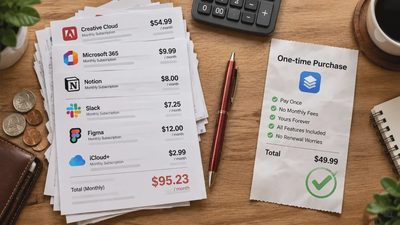
Do not ignore annual cost. A $12 monthly subscription is roughly $144 per year before taxes. Add a video service, cloud storage, and a music plan, and a collection of small charges can become a meaningful household expense. One practical approach is to rotate subscriptions: keep the service with the best current catalog for two or three months, then pause it when your interest shifts. Downloaded music usually needs to be refreshed when a subscription ends, so save purchased files separately if long-term access matters.
Audio quality and offline listening
For most people, the important audio question is not whether a service supports the highest possible quality. It is whether your headphones, car, speaker, and listening environment reveal a useful difference. In a noisy commute, the distinction between standard and lossless audio may be difficult to notice. In a quiet room with capable wired headphones, a careful listener may prefer a higher-quality setting.
High-quality streams use more data and storage. If you download several large albums, your phone can lose gigabytes quickly. Check the app’s settings for Wi-Fi-only downloads, cellular streaming limits, and automatic download behavior. A sensible setup is standard quality for cellular listening, higher quality on home Wi-Fi, and offline downloads for commutes or flights.
Offline playback is one of the most valuable practical features across streaming music services. It reduces buffering, protects you from weak reception, and helps control mobile data use. Before a trip, open the downloaded playlist while your phone is in airplane mode. That small test catches expired downloads and account problems before you are sitting on a delayed flight.
Privacy, recommendations, and family control
Music recommendations depend on listening history, searches, skips, saved tracks, and sometimes activity from connected services. That personalization can feel helpful, but it also creates a record of your habits. Review privacy settings, connected devices, and social-sharing options during setup. Disable automatic sharing if you do not want friends seeing every playlist or recently played artist.
For a family account, create individual profiles instead of sharing one login. This improves recommendations and reduces accidental changes to another person’s library. Use explicit-content controls where available, but remember that labels are not perfect filters. For younger listeners, a supervised account or a separate child-friendly service can be easier to manage than constant playlist policing.
Recommendation quality also depends on your behavior. Skip songs you genuinely dislike, save music you would replay, and remove accidental plays from your history when the app allows it. If an algorithm keeps repeating one genre, spend ten minutes deliberately exploring something different. Better inputs usually produce better results without requiring a complicated workflow.
A low-friction setup that works
Choose one primary service for the household instead of maintaining several overlapping subscriptions. During a trial, complete four tests: find five favorite albums, create a useful daily playlist, download music for offline use, and play it on every device you use. Also test cancellation instructions before committing. A service that hides account controls or makes switching difficult is charging you in attention, not just dollars.
Move playlists deliberately rather than abandoning your music history. Transfer tools can help, but they do not always match every song, version, or album. Keep a simple text list of essential albums and artists. That list is more durable than any recommendation feed and makes future switching less painful.
If you are deciding among streaming music services today, start with the ecosystem already in your home. Pick Apple Music for tight Apple integration, Spotify for discovery and sharing, YouTube Music for unusual video-based listening, Amazon Music for a strong Alexa or Prime connection, or Tidal when sound quality is central. Then run the real-world test for two weeks. Make the technology earn its place, and cancel anything that creates more noise than value.